Posts

3 Things to Consider Before Upgrading Your Computer Memory

Image
If you are frustrated by a slow and unresponsive PC, chances are that your computer memory (RAM) is toblame. So, if you think aRAM upgrade will solve your issues and deliver the performance you expect, the Kingston Memory UK advises you to stop for a brief moment and consider some integral points discussed below:   #1: Before upgrading memory, always check for ‘bottlenecks’ To discern and confirm whether the lack of memory (RAM) is the cradle of your problems, we suggest you first checkyour system performance by pressing‘Ctrl+Shift+Esc’. It will lead you to Windows10’s Task Manager. From there, you can click on the ‘More Details’ option for an advanced setting view. Next, press the ‘Performance’ tab, and select‘Memory.’   Once that’s out of the way, start using the computer as you typically would, but be sure to keep an eye on the task manager.Whenever you face a slowdown, check the ‘Availabl...
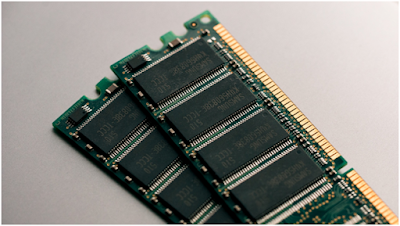
Computer Memory: Time to Upgrade – How to Go Ahead

Image
  Adding to or upgrading the memory (RAM) of your PC can instantly amplify the system’s responsiveness, make it faster, and make multitasking seamless. However, what signs indicate that you need an upgrade?   In this post, we’ve discussed signs that show it's time to upgrade your computer memory. Additionally, with a Kingston memory configurator, you can upgrade your computer memory in mere minutes.   So, without further ado, let us begin! Signs Your Computer Memory Needs an Upgrade The  Kingston Memory UK  shares some of the signs or issues you may experience if your RAM requires an upgrade:   ·          The computer may function slower than usual ·          Experience multitasking difficulty ·          Notice system notifications suggesting a memory upgrade ·          ...

The Ultimate RAM Guide for Gamers in 2020-21

Image
  Designing your first ideal computer system is a daunting task. Especially, finding parts to help assemble your computer can be overwhelming. Often the most effort is spent on selecting which processor and graphic card, knowing your RAM is just as significant. If you have high-quality RAM, it can help your games load faster, shortening the time you spend waiting for it to load. Having spare RAM is key when on apps like Google Chrome or social media. Initially, start by learning everything about RAM. HyperX manufactures top-quality RAM but first, we need to know what RAM is.   Random-Access Memory (RAM), stores data temporarily to make it readily available without the need to access the larger hard drive, which is slower. A larger RAM allows more concurrent processes allowing you to open more applications or play games which demand more resources. A system with 8GB RAM would be able to store less than a system with 16GB RAM. The amount of RAM isn’t the only factor to consi...